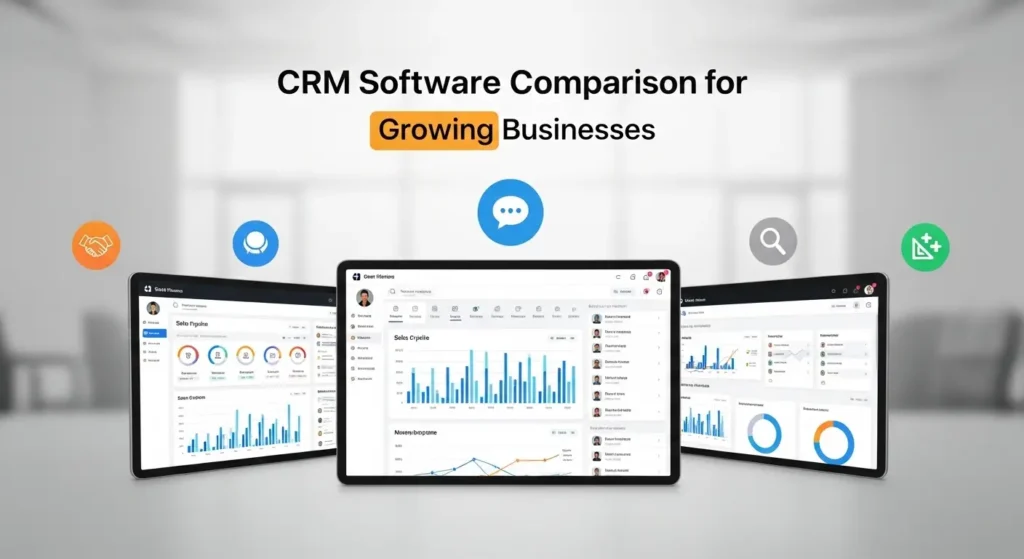
Top 7 CRM Software Comparison for Growing Businesses
If you are running a growing business, managing customer relationships becomes more challenging as your team expands. Emails, calls, follow-ups, and deal tracking can quickly become disorganized. This is where CRM software becomes essential. It allows you to manage leads, customers, communication, and sales pipelines in one place.
CRM stands for customer relationship management. It is a digital system that helps businesses store customer data, monitor interactions, track opportunities, and improve sales performance. Instead of scattered spreadsheets and manual follow-ups, a CRM gives you a structured process. For growing companies, this improves productivity, customer satisfaction, and long-term revenue.
The biggest concern for many founders is choosing the right platform. Some tools are easy to use but limited in growth. Others are powerful but complicated. The best choice depends on your business goals, budget, and future expansion. In this comparison, I will explain the most trusted options, their strengths, and when they make the most sense.
7 Best CRM Software Comparison for Growing Businesses
Below is a clear comparison to help you understand the differences quickly.
| CRM Platform | Best For | Pricing (Starting) | Key Strength | Integrations | Ease of Use |
| Salesforce | Enterprise and large scaling | $25 per user | Custom workflows | Extensive | Moderate |
| HubSpot CRM | Sales and marketing teams | Free and paid | User friendly | Strong | High |
| Zoho CRM | Budget friendly scaling | $14 per user | Cost effective | Good | High |
| Pipedrive | Sales focused teams | $14.90 per user | Visual pipelines | Strong | High |
| Monday CRM | Workflow and sales tracking | $10 per user | Flexibility | Growing | Moderate |
| Freshsales | AI driven sales | $15 per user | Automation | Good | High |
| Microsoft Dynamics 365 | Enterprise integration | $65 per user | Deep analytics | Excellent | Moderate |
This overview provides a starting point. But real decision making requires deeper insights. Each platform supports different growth stages and operational needs.
Salesforce
Why growing businesses choose Salesforce
Salesforce has been one of the most trusted systems for years. It is widely used by mid-size and enterprise companies because it can support complex business processes. One of its biggest strengths is customization. Businesses can design workflows that match their exact operations.
For example, a SaaS company may need subscription tracking, onboarding, and renewal cycles. A manufacturing company may focus on distributor management and supply chain coordination. Salesforce allows these adjustments without forcing a rigid structure.
Automation is another strong advantage. You can automate lead assignment, follow-ups, reminders, and reporting. This improves efficiency and reduces manual work. Sales teams can focus more on building relationships rather than administrative tasks.
However, Salesforce can be expensive as businesses grow. It also requires training or support during setup. For startups with limited budgets, this may feel overwhelming. But for companies planning structured growth, it provides long-term scalability.
A real scenario is a B2B company moving from spreadsheets to Salesforce. Within months, they gain better visibility of their pipeline and improve forecasting accuracy. This helps leadership make smarter hiring and budgeting decisions.
HubSpot CRM
A strong choice for aligned marketing and sales
HubSpot is known for simplicity and strong usability. Many startups and mid-size companies begin here because the free version offers essential features. It allows businesses to manage contacts, track deals, and monitor customer interactions without initial costs.
One of the biggest benefits is alignment between marketing and sales. When someone fills a form, downloads a guide, or interacts with content, the information is automatically recorded. This creates a complete customer view.
For example, if a lead engages with email campaigns and visits specific service pages, sales teams can personalize conversations. This improves conversion rates and customer experience.
As companies grow, paid tiers add automation, reporting, and advanced analytics. Businesses can track the full customer journey, identify high performing channels, and improve revenue predictability.
The main limitation is pricing at advanced levels. Costs increase as businesses need deeper automation and reporting. Still, many companies accept this because the system improves efficiency.
A digital agency using HubSpot often sees shorter sales cycles. This happens because the team knows exactly when prospects are ready to buy.
Zoho CRM
Affordable and scalable for growing teams
Zoho CRM is popular for companies that want strong features without high costs. It offers automation, reporting, lead scoring, and multichannel communication. This makes it suitable for startups and small businesses.
Another advantage is the Zoho ecosystem. Businesses using Zoho Books, Zoho Campaigns, or Zoho Desk can connect everything. This reduces the need for multiple tools and improves data accuracy.
For example, when a customer places an order, financial records, communication history, and support tickets are connected. This creates better visibility across departments.
The interface is not as polished as some competitors. New users may take time to adjust. However, the value becomes clear once teams understand the system.
An eCommerce brand using Zoho can track wholesale buyers, automate follow-ups, and improve repeat orders. Over time, this increases customer retention and lifetime value.
Pipedrive
Built for sales performance and visibility
Pipedrive focuses on simplicity and sales pipeline clarity. It is designed for teams that want to visualize deals and track progress easily. This helps managers identify bottlenecks and coach their teams.
The visual pipeline allows sales representatives to move deals across stages. This makes it easier to manage opportunities and follow-ups.
Automation features support routine tasks such as reminders and scheduling. Integrations with email and calendars improve consistency.
One limitation is that Pipedrive focuses mainly on sales. Businesses that need advanced marketing automation or service management may require additional tools.
A consulting company using Pipedrive often improves accountability. Managers can see which deals are stuck and provide targeted guidance.
Pro Tip: Customer data and relationship management are essential for scaling. You can also review real estate investment guide for beginners to explore other long-term growth paths.
Monday CRM
Flexible workflow and relationship tracking
Monday CRM is useful for teams that want flexibility. It combines customer tracking with workflow management. Businesses can create custom pipelines and automate tasks.
For example, once a deal is closed, the system can create onboarding tasks automatically. This improves collaboration between sales, operations, and support teams.
It is popular among agencies, service providers, and project-based companies. These organizations benefit from connecting customer relationships with delivery processes.
However, it may not offer the same level of advanced analytics as traditional systems. Some teams use it alongside other platforms.
A creative agency using Monday often reduces delays. Sales, project, and support teams stay aligned.
Freshsales
AI powered automation and insights
Freshsales focuses on automation and intelligent decision making. It includes built-in AI that helps prioritize leads and identify patterns.
Predictive scoring helps sales teams focus on prospects more likely to convert. This improves productivity and reduces wasted effort.
It also offers communication tracking, workflow automation, and reporting. The system is easy to set up and suitable for fast-growing companies.
Customization is not as advanced as enterprise tools. However, many startups prefer simplicity and speed.
A SaaS startup using Freshsales often improves efficiency because the team spends more time on qualified opportunities.
Microsoft Dynamics 365
Deep integration with enterprise systems
Microsoft Dynamics 365 is ideal for companies already using Microsoft tools such as Office, Teams, and Azure. It integrates customer data with finance, operations, and analytics.
Businesses gain strong insights into customer behavior and revenue performance. Advanced reporting supports better forecasting and strategic planning.
The platform is powerful but can be complex. Smaller companies may need technical support.
A manufacturing firm using Dynamics can connect sales, inventory, and production. This reduces delays and improves operational efficiency.
How to Choose the Right CRM for Your Business
Choosing the right system depends on your current needs and future goals.
Start by defining your priorities. Are you focused on improving sales performance, customer experience, or operational efficiency? Different systems serve different goals.
Next, evaluate scalability. A platform should support growth without forcing migration later.
Integration is also critical. Your CRM should connect with marketing, communication, and accounting tools. This improves data flow and accuracy.
User adoption is equally important. If the system is difficult, teams may not use it. Simplicity improves consistency.
Reporting and analytics help leadership make informed decisions. Choose a system that offers clear insights.
Benefits of CRM for Growing Companies
- Adopting CRM early gives businesses a strong advantage.
- Improved customer relationships lead to better retention.
- Automation reduces manual work and saves time.
- Clear visibility into sales pipelines improves forecasting.
- Better collaboration aligns teams.
- Data driven decision making improves performance.
Common Mistakes to Avoid
- Many businesses choose systems based on features rather than real needs. This leads to complexity and low adoption.
- Another mistake is poor onboarding. Training and clear processes are essential.
- Ignoring data quality also reduces effectiveness. Clean data improves results.
Future Trends in CRM
- Artificial intelligence and automation will continue to shape these systems.
- Predictive analytics will improve decision making.
- Customer personalization will become more important.
- Integration with communication tools will grow.
- Data privacy and security will remain a priority.
If you are building your tech stack, best business tools for startups and founders is a useful resource.
Conclusion
Selecting the right CRM is about building a structured approach to customer relationships. The best system supports growth, improves collaboration, and creates visibility across your business. By focusing on usability, scalability, and integration, companies can build a strong foundation for long-term success.
Frequently Asked Questions (FAQs)
What is the most important feature in CRM for growing businesses?
The most important feature is scalability. A system should support your future growth, not just current needs.
Can small teams benefit from CRM?
Yes, even small teams gain better organization, communication, and customer tracking.
How does CRM improve sales productivity?
It automates routine tasks, prioritizes leads, and gives clear visibility into opportunities.
Is cloud based CRM better than on-premise?
Cloud systems offer flexibility, remote access, and easier updates, which makes them suitable for most growing businesses.
When should a company switch to a more advanced CRM?
When reporting, automation, or integrations become limited, it is time to move to a more advanced solution.