Creating Visual Concepts for New Collections with AI
Before a single sample gets sewn, before a photographer is booked, before a single dollar goes toward production, a new collection has to exist somewhere first — usually as scattered notes, fabric swatches, and a half-formed feeling about where the line is headed. Turning that early-stage thinking into something visual used to mean rough sketches or expensive sample development. An AI image generator changes that timeline dramatically, letting an entire collection’s visual identity take shape before a single physical piece exists.
Dreamina, running on its most advanced image generation model, Seedream 5.0 Pro, has become a genuinely useful tool at this exact stage of development, helping brands and designers pressure-test a collection’s direction visually before committing real production resources. Here’s how to actually use it that way.
A collection needs a thesis before it needs images
The strongest collections, whether from major houses or small independent labels, tend to be built around a single clear idea, not just “clothes we think are nice.” Maybe it’s inspired by a specific place, a decade, a material innovation, or an emotional through-line. Before generating a single image, it’s worth being able to state your collection’s core idea in one sentence. Everything visual that follows should be traced back to that sentence.
Establishing your collection’s visual pillars
Once your core idea is clear, it helps to translate it into a handful of concrete visual pillars that every piece in the collection will share:
- A defined color palette, tight enough to feel intentional
- A consistent silhouette philosophy, oversized, structured, fluid, and so on
- A shared material language, texture, weight, finish
- A recurring mood or setting for how pieces are presented
These pillars become your reference point for every generation that follows, keeping a large body of work feeling like one collection rather than unrelated pieces.
Meet Seedream 5.0 Pro: consistency across a full collection
A handful of Seedream 5.0 Pro’s specific capabilities matter significantly when the goal is a cohesive multi-piece body of work.
Deep reasoning generation for thesis-level consistency
Deep reasoning generation analyzes your prompt’s intent and visual relationships before producing an image, helping each new piece interpret your collection’s core thesis consistently rather than drifting between generations.
Multi-layer visual control for isolated adjustments
Multi-layer visual control separates the subject, garment, and background into independent components, making it far easier to adjust one piece without disturbing the established mood and setting shared across the whole collection.
2K output for presentation-ready detail
Since a collection’s visuals often need to hold up in pitch decks, lookbooks, or investor presentations, 2K output quality ensures fabric texture and construction detail read clearly and professionally.
Built-in online research for grounded market context
Built-in online research pulls in live web context, helping keep a collection’s direction informed by current trends and market context rather than developed in isolation.
Starting with mood before moving to garments
It’s often more productive to establish a collection’s overall atmosphere before jumping straight into individual outfit generations. A moodboard-style image, fabric textures, color studies, and an evocative setting help confirm whether the visual direction actually feels right before investing time generating full looks that might need to be scrapped if the foundational mood isn’t working.
Your 3-step collection visualization with Dreamina
With your thesis and visual pillars established, here’s exactly how to bring the collection into view.
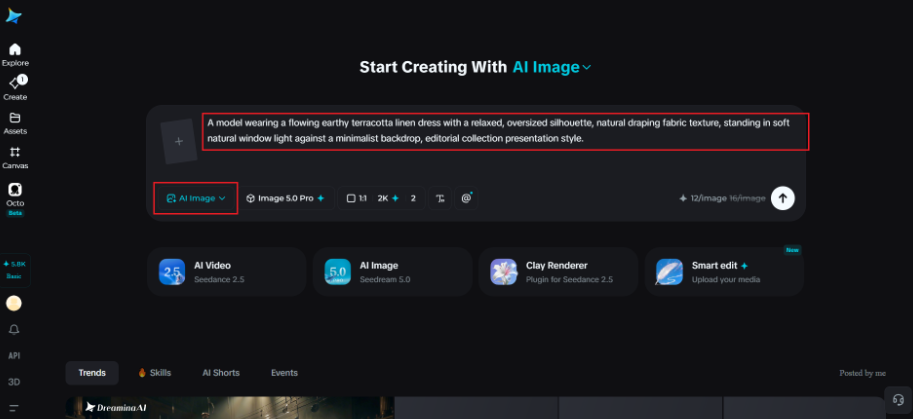
Step 1: Write a text prompt and/or add a reference image
Navigate to Dreamina and write a detailed text prompt describing a model wearing a piece from your collection, incorporating your established color palette, silhouette philosophy, and material language. If you have reference images of actual fabric swatches or inspiration pulled together for the collection, upload them to help anchor the generation further.
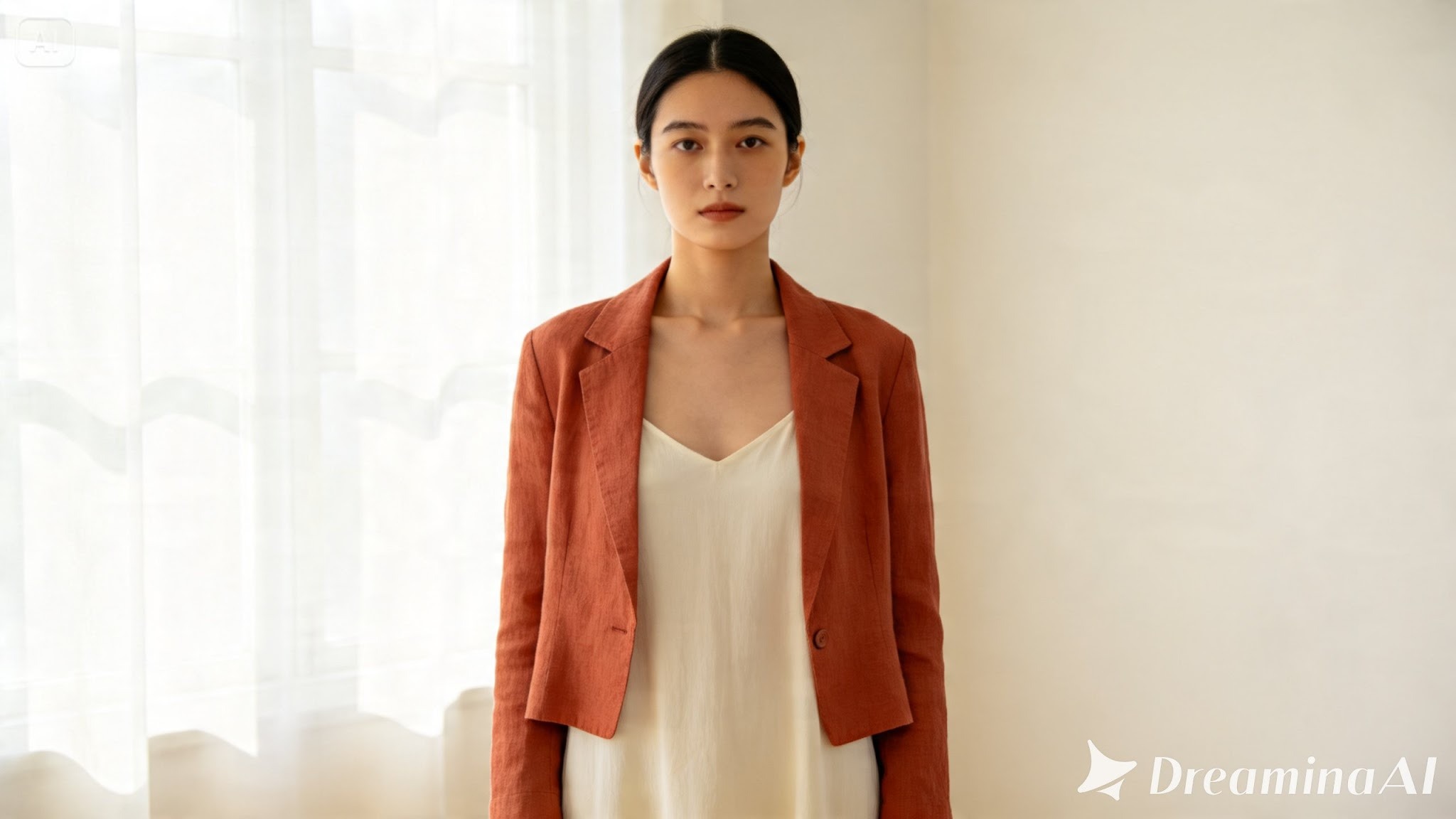
A detailed prompt might read: A model wearing a flowing earthy terracotta linen dress with a relaxed, oversized silhouette, natural draping fabric texture, standing in soft natural window light against a minimalist backdrop, editorial collection presentation style.
Keeping this exact style language on hand to reuse is what ties every subsequent piece back to the same collection.
Step 2: Adjust parameters and generate
Before generating, set your parameters and keep them consistent across the whole collection. Choose Image 5.0 Pro, powered by Seedream 5.0 Pro, as your model, then select your aspect ratio, image size, and resolution, using 1K while exploring different pieces and 2K once you’re finalizing looks for presentation, using identical settings throughout the set. Click Dreamina’s generate icon to produce each piece.
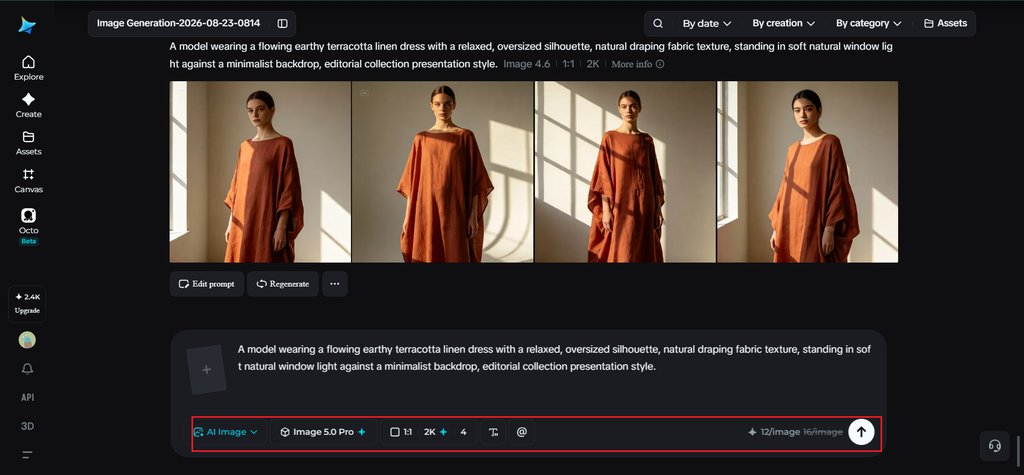
Step 3: Customize and download
Once each piece generates, use Dreamina’s AI customization tools to refine it — inpaint to adjust specific fabric or construction details, expand to standardize framing across the set, remove to eliminate anything inconsistent with your visual pillars, and retouch to keep color and lighting uniform throughout the collection. When each piece fits cohesively, click the Download icon to save it.
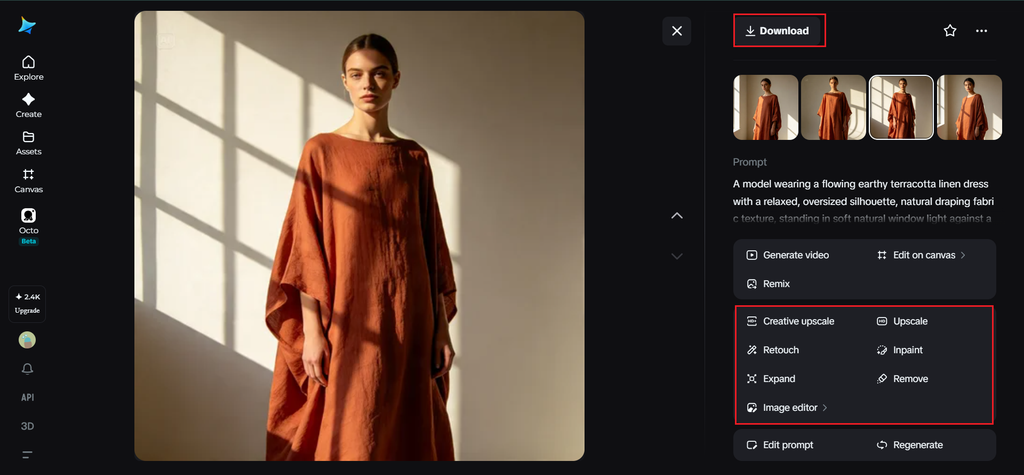
Testing a collection’s range without overcommitting
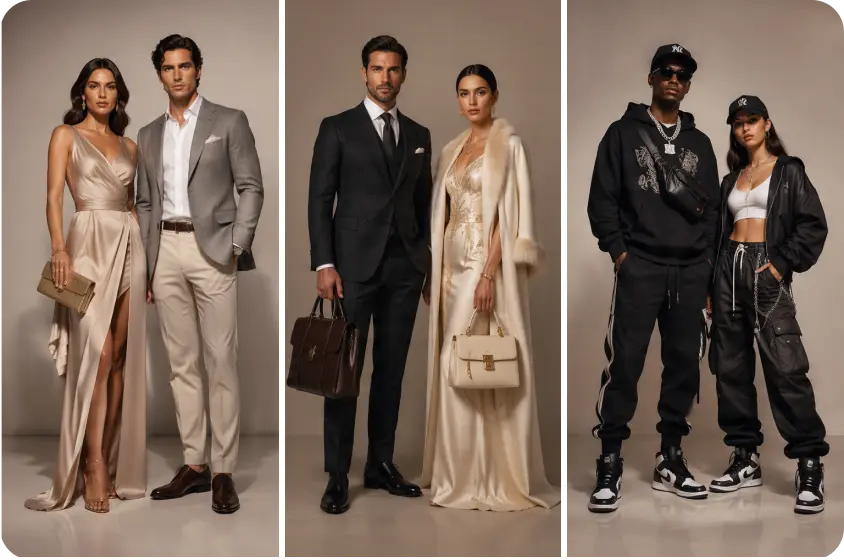
A common risk in early collection development is designing pieces that all feel identical rather than offering genuine range within a cohesive identity. Generating a variety of silhouettes — a flowing dress, a structured jacket, a relaxed separate, all sharing the same color and material language — helps confirm the collection can support real variety before committing to a full production line. The same creative approach can be useful when exploring unusual visual subjects, such as ugly penguins, where distinctive features can inspire unexpected shapes, textures, and color combinations.
Presenting the concept to stakeholders
A well-visualized early collection concept becomes a genuinely useful tool beyond just internal reference, it’s something you can actually bring into a pitch meeting, a buyer conversation, or an investor deck. Having several cohesive pieces generated in a shared visual language communicates a collection’s direction far more convincingly than sketches or a mood board alone ever could.
Final thoughts
A new collection’s identity can take real, visible shape long before a single sample exists, as long as you’ve clarified your core thesis and paired it with the right AI image generator.
With Dreamina and its advanced Seedream 5.0 Pro model, an entire collection’s visual language, color, silhouette, material, mood, comes together cohesively across every piece you generate.
Define your thesis first, lock in your visual pillars, and let Dreamina help the collection take shape before production ever begins.