AI Fashion Inspiration: Explore Outfit Ideas With a Virtual Style Creator
A fashion idea can start with a single piece: a charcoal blazer, a cream knit or a pair of wide-leg trousers. The challenge for creators is finding fresh ways to show that piece across a series of posts. An ai influencer made with Dreamina can give a virtual style host a recognisable presence while you explore different outfits, settings and creative directions.
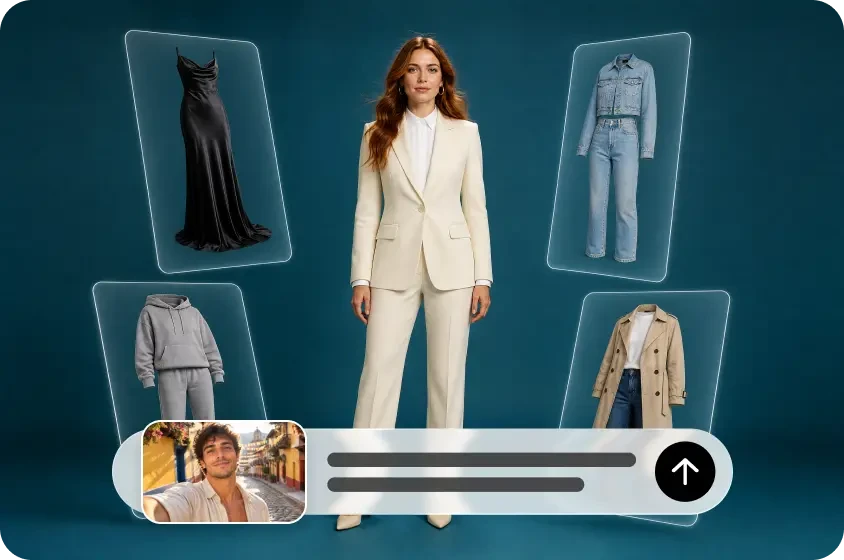
The goal is not simply to produce more images. A useful fashion post gives viewers an idea they can adapt: a new colour combination, a way to balance proportions or a styling approach for a familiar item. The examples below show how to turn those ideas into a repeatable visual series.
Define the style of your virtual host
Start by deciding what the account will help people explore. An everyday workwear series might focus on practical layers and a restrained palette; a street-style series could experiment with oversized shapes and colour. Choose a direction broad enough to sustain multiple posts, but specific enough that a viewer can recognise its point of view.
Write a short character brief before generating images. Include a few stable traits, such as the character’s hairstyle, overall appearance and signature accessories, as well as the desired visual style. Then describe the parts that can change: clothing, location, pose and lighting.
For example, a fictional style host might have a dark chin-length bob, small silver earrings and an interest in relaxed tailoring. The images could use soft daylight and simple editorial compositions. Those choices give you a starting point without requiring every outfit to look the same.
Create an initial portrait and full-length image, then select a reference that captures the character clearly. Keep that image and the written brief available as you develop the series. Reuse the same reference where the workflow allows, and compare results side by side: a reference can help with continuity, but it will not guarantee that every detail stays identical.
Build a prompt around the outfit and the image
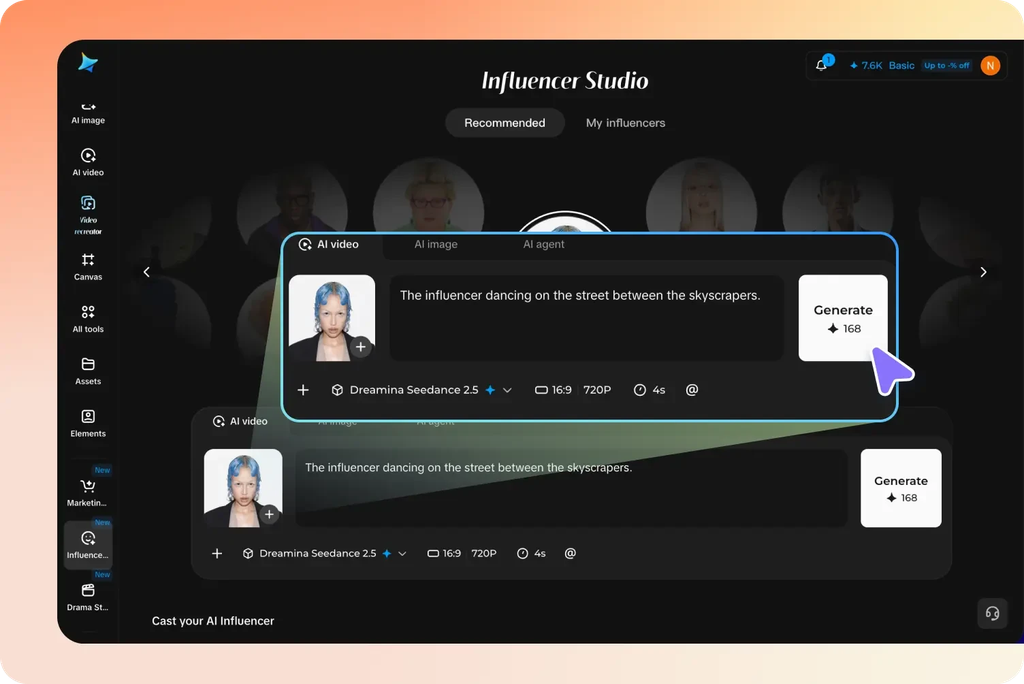
A useful fashion prompt does more than say “create a stylish outfit.” Describe what the viewer should notice and how the image should show it. You can include:
• Character: the approved virtual host and defining features.
• Outfit: individual pieces, colours, shapes and layers.
• Styling idea: the contrast or combination you want to explore.
• Setting and framing: a studio, street or indoor setting; full-body or closer view.
• Visual treatment: lighting, mood, background and space for text.
If an image generator supports a character reference, use your approved image and describe the change you want. Keep the first draft simple, then adjust one element at a time. For instance, ask for a brighter accessory before changing both the jacket and the setting. This makes it easier to see which choice improved the result.
The following prompts are starting points for fictional styling concepts. Replace the garments, character details and settings with choices that suit your own audience.
Idea 1: One blazer, three ways to wear it
A familiar piece can anchor a series because viewers can compare how small styling changes affect the overall look. Start with a charcoal blazer and create three concepts: relaxed office, weekend and evening. The value of the post is in explaining why each combination feels different.
For the office look, pair the blazer with a pale knit and straight-leg trousers. A simple indoor setting and full-length framing let viewers see the line of the outfit. A caption could draw attention to the contrast between the structured jacket and softer knit.
Example prompt: “Use the supplied image as the reference for the same fictional adult style host. Show a full-length editorial outfit with a charcoal blazer, pale cream knit, straight-leg black trousers and simple loafers. Clean indoor setting, soft natural light, relaxed pose. Keep the host’s defining face and hair features consistent with the reference.”
For the weekend variation, try the same general blazer style with a white T-shirt, relaxed jeans and trainers. Set the scene near a café or on a quiet street. For evening, explore a darker top, fluid trousers and a small metallic accessory against a simple interior background.
Example variation prompt: “Using the same character reference, create a weekend styling concept: charcoal blazer over a white T-shirt, relaxed blue jeans and white trainers. Full-body street-style photograph, soft daylight, uncluttered background. Keep the character’s hairstyle and facial features consistent.”
Present the images as a carousel: introduce the idea on the first slide, show each outfit, and finish with a short comparison. Because generated clothing can change between images, describe them as three styling concepts rather than proof that the exact same real blazer was used in each.
Idea 2: Explore one colour palette
A palette gives a fashion series a clear identity without relying on the same silhouette in every image. Choose three colours and vary their proportions. For example, cream, warm brown and muted grey can create a soft neutral wardrobe; a single brighter accessory can become the focal point.
Plan three visual directions before generating. In the first, let cream dominate with a brown bag. In the second, pair grey trousers with a brown jacket and a lighter top. In the third, try a tonal look and add a small accent colour. Describe the fabric appearance only as a creative direction, not as a verified material claim for a real garment.
Example prompt: “Create a full-length fashion editorial image of the supplied virtual style host in a cream knit, warm-brown midi skirt and dark-brown shoes. Add a small muted-red bag as the only bright accent. Minimal indoor background, soft window light, relaxed natural pose. Emphasise the balance between warm neutrals and the red accessory.”
In the caption, explain the relationship between the colours: which shade forms the base, which adds contrast and where the accent appears. You can also ask viewers to try the palette using items they already own. This gives the post a practical idea beyond the generated image.
Idea 3: Style a base outfit across seasons
A seasonal series can show how layers change the mood of a simple outfit. Begin with a white shirt and dark trousers, then build different concepts for warmer and cooler weather. The purpose is to illustrate the styling choices, not to imply that a generated outfit guarantees comfort in a particular climate.
For a warmer-weather image, keep the layers light and the background open. For cooler weather, add a knit, a longer coat or a scarf, and show enough of the full outfit to make the layering visible. Use a similar camera angle across versions so the comparison is easy to follow.
Example prompt: “Use the supplied virtual host as the character reference. Show a full-length outfit built around a white shirt and dark straight-leg trousers, with a light beige jacket and simple flats. Bright spring street setting, natural daylight, clean editorial composition. Keep the face and hairstyle consistent with the reference.”
For the cooler version, replace the jacket and setting in the prompt: “Add a charcoal knit over the white shirt and a long brown coat, with ankle boots. Use a soft autumn street setting. Keep the base outfit and character’s key features as consistent as possible.”
A caption can explain the role of each layer: the shirt as a base, the knit for visual texture and the coat as the outer silhouette. If the generated shirt or trousers change noticeably, avoid presenting the images as an exact comparison of one garment.
Turn individual looks into a useful content series
Once you have a set of concepts, organise them around a question rather than posting unrelated outfits. “How can a blazer feel more relaxed?” or “What can one bright accessory add to a neutral look?” gives each post a reason to exist.
A simple carousel can follow four steps: introduce the styling question, show two or three looks, point out one specific difference in each, and close with an invitation to experiment. For a short-form video, a creator might sequence approved images or develop a moving concept, checking the character and outfit throughout before sharing.
Keep a small content record: the original character reference, the stable description, the prompt, the selected images and the intended caption. This helps maintain continuity when you return to the series. It also makes it easier to spot whether the character’s hair, face or accessories have drifted.
Not every image needs the same pose or background. Consistency comes from a recognisable point of view as well as visual details. A series about relaxed tailoring can move from a studio to a street while continuing to explore the same styling question.
Write captions that explain the styling
A caption can do more than name the pieces in the image. Tell readers what relationship you are exploring: a structured jacket with loose trousers, a light layer against a dark base, or one bright accessory against neutral clothing. Offer an alternative for someone who does not own the exact pieces, such as substituting a cardigan for a jacket or choosing a different accent colour.
If the outfit is fictional, make that clear where needed. If you feature a real item for sale, direct readers to accurate product photographs and specifications; a generated visual alone cannot establish fit, fabric, availability or how the item moves.
Review before publishing
Compare each image with your character reference and creative brief. Look for changes in facial features, hands, garment construction and accessories, and check that the images support the intended styling idea. Use reference photos and other materials only when you have the necessary permission.
Be clear when a character or scene is generated, particularly if viewers could mistake it for a real person or event. Disclose commercial relationships where required, and do not attribute real wear experience or an invented endorsement to a fictional character. If a post links to a real product, verify the claims and point readers to the actual item.
A virtual style host can make it easier to explore a theme across many looks. The strongest series still begins with a clear idea: choose a question, develop a few distinct outfits and explain what viewers can take from each one.